Custom T-Shirt Store: What to Know Before You Order
The custom t-shirt market has exploded with options — and quality varies wildly. Here's what to look for so you get the shirt you actually want.
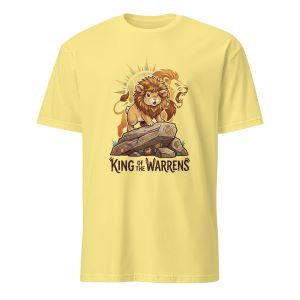
Why picking the right custom t-shirt store matters
Ordering a custom t-shirt isn't as simple as picking a template and clicking "order." The store you choose determines the print quality, the garment itself, whether you can order a single shirt or have to buy a dozen, and — critically — whether you even have a design to start with.
Most people have either experienced a custom shirt that faded after two washes, or a design that looked great in the mockup but came out blurry on the actual shirt. Both problems are avoidable if you know what to look for.
How custom t-shirt printing actually works
Direct-to-Garment (DTG) printing
DTG printing uses an industrial inkjet printer to apply ink directly to the fabric. It's essentially the same concept as a paper printer, adapted for textiles. DTG handles full-color designs with gradients, detailed artwork, and photographic images well. No setup fees. No minimums. The ink bonds with the fabric fibers, so a properly cured DTG print is durable — but requires pre-treatment of the fabric and careful post-wash care (turn inside out, cold water, no dryer on high).
Screen printing
Screen printing pushes ink through a mesh screen onto the fabric, one color at a time. Each color requires a separate screen setup, which creates setup costs that make small orders expensive. But for larger quantities (24+) with simpler designs (fewer colors), screen printing costs less per shirt than DTG and produces extremely vibrant, durable prints. The limitation: it's not ideal for photographic images or designs with many colors.
Heat transfer
A printed transfer is heat-pressed onto the shirt. Common for small quantities. Inferior to both DTG and screen printing in durability — the transfer can crack and peel over time. Avoid for shirts you want to last.
The design problem most stores don't solve
The biggest friction point in ordering from a custom t-shirt store isn't the printing — it's the design. Most stores either require you to bring a finished design file, or give you a basic editor with clip art and fonts that produces generic-looking results.
If you have a photo — of your dog, your family, a memorable place, an inside joke — getting it turned into print-ready shirt art traditionally required hiring a graphic designer ($150–$500) or using tools that require real design skill. Most people either settle for something generic or give up.
AI-powered design tools have changed this. MadeFromArt lets you upload any photo and converts it into print-ready artwork automatically — bold illustrations, line art, pop art, vintage badge style, and more. The AI handles the design step, so you go from photo to print-ready art in under a minute.
What to check before placing an order
Order minimums
Traditional stores often require 6–24 shirts. Print-on-demand stores and AI-design stores like MadeFromArt have no minimum — you can order a single shirt. Always confirm before investing time in a design.
Production + shipping timeline
Separate production time (typically 3–7 business days) from shipping time. If you need it by a specific date, add both together and work backwards. Rush production is available from some stores but adds cost.
Blank garment quality
Ask which blank the store uses. Bella+Canvas 3001 and Next Level 3600 are the gold standard for soft, well-fitting retail-quality tees. Gildan 5000 is more affordable and durable but heavier. Avoid unknown blanks.
Reprint / return policy
Reputable stores will reprint or refund if the print quality is wrong. If a store doesn't offer this, walk away. Printing errors do happen — how they handle them is what matters.
Design file requirements for custom t-shirts
If you're bringing your own design to an upload-and-print store, the file needs to meet specific standards or the print will look blurry, pixelated, or washed out:
- Resolution: Minimum 150 DPI at print size. 300 DPI preferred for crisp edges.
- File format: PNG (with transparency) is the most universally accepted. PDF and AI/EPS work for vector designs.
- Background: Transparent background (PNG) so the design sits cleanly on the shirt without a white box behind it.
- Color mode: RGB for DTG printing. CMYK for traditional screen printing.
AI-generated designs from MadeFromArt are exported in a print-optimized format automatically — no manual file prep required.
The full workflow with an AI-powered custom t-shirt store
- Upload your photo. Any photo works — portrait, pet, group shot, object, landscape.
- Choose your style. Pick from presets like Line Art, Bold Pop Art, Vintage Badge, or write your own style prompt.
- AI generates the design. Takes 30–90 seconds. The result is a print-ready illustration based on your photo.
- Remix if needed. Describe what to change ("more contrast," "remove the background," "bolder colors") and run again.
- Open the shirt editor. Position the design on your shirt preview, choose color and size.
- Order. Printed on Bella+Canvas or Gildan, shipped to your door. No minimums.
The custom t-shirt store built around your photos
MadeFromArt turns any photo into a custom t-shirt design using AI — no design skills, no minimums, no hiring a designer. Two free transforms to start.
Try It Free