Design Your Own Top: How to Create a Custom Shirt from Any Photo
Designing your own top used to require graphic design skills or a designer's budget. AI has changed that. Here's how anyone can go from a photo to a finished, wearable custom shirt — without any design experience.
What it means to design your own top
"Designing your own top" means different things to different people. At one end: choosing a font and typing your name or a team name in a simple editor. At the other: commissioning original illustration and having it applied to a premium garment. The gap between these has closed significantly.
AI design tools have made it possible to design a genuinely custom top — with your photo, your subject, your style — in minutes, for the cost of a single shirt. The design step, which was historically the bottleneck, is now the fastest part of the process.
Start with the right photo
The quality of your finished design depends heavily on the photo you start with. These guidelines apply whether you're using AI or working with a designer:
Clear subject, simple background
The cleaner the separation between your subject and background, the better the result. A pet against a plain wall, a person against an open sky, an object on a neutral surface — these all produce cleaner designs than cluttered backgrounds.
Good lighting, in focus
Well-lit, sharp photos give the AI more detail to work with. Blurry or poorly lit photos produce designs with less definition. Natural daylight or bright indoor lighting is ideal.
Interesting subject
AI works best with subjects that have distinctive shapes or character — an expressive face, a pet with personality, an interesting object. Generic subjects produce generic designs.
Original file, not a screenshot
Use the original photo from your camera or phone, not a screenshot or a compressed social media version. Resolution matters — the higher the better for AI processing and eventual printing.
Design styles that work well on custom tops
When you design your own top, the style choice matters as much as the subject. These styles consistently produce wearable, flattering results:
Line art
Clean ink-line illustration of your subject — no fill, just the drawn outline. Works on any shirt color, reads beautifully at any size, and has a timeless hand-drawn quality. Best for portraits, pets, and objects with interesting shapes.
Bold pop art
High-contrast flat illustration with thick outlines and a limited palette. Graphic and eye-catching — great for portraits and faces. Inspired by comic book and Warhol-era graphic aesthetics. One of the most requested styles for custom tops.
Vintage outdoor badge
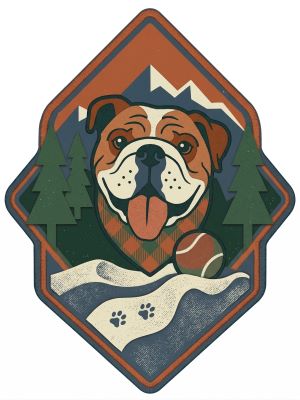
A circular or shield-shaped composition with your subject framed inside — like a national park badge or a retro brand emblem. Feels complete and considered, works well centered on the chest. Great for nature subjects, pets, or any subject you want to honor.
Woodcut print
High-contrast black and white with a hand-carved, textured quality. Looks raw and artistic. Strong silhouette, bold contrast — works especially well on light shirts.
Psychedelic / retro
Bold color, pattern, and a 70s-inspired visual energy. Works well for subjects with interesting color relationships — nature, animals, abstract forms.
How to design your own top using AI
Here's the full process using MadeFromArt:
- Upload your photo.
Drag and drop your photo onto the upload area. JPG or PNG, any size. The AI works better with higher-resolution originals.
- Choose your style.
Select a preset style (Line Art, Pop Art, Vintage Badge, etc.) or write your own custom prompt. Presets are tuned specifically for shirt printing — clean backgrounds, printable contrast.
- Generate your design.
The AI processes your photo and returns a print-ready illustration in 30–90 seconds. The result is genuinely new art based on your photo.
- Remix to refine.
Not quite right? Describe what to change ("make the lines bolder," "warmer colors," "remove the background completely") and run another pass on the same photo. Repeat until you love it.
- Open the shirt editor.
Position your design on the shirt mockup. Choose shirt color — the design previews in real time so you can see how different colors affect the look.
- Select size and order.
Pick your size, confirm your shipping address, and place the order. Printed on Bella+Canvas or Gildan, shipped to your door in 5–10 business days.
Common questions about designing your own top
Do I need design experience?
No. AI design tools like MadeFromArt handle the technical design work. You bring the photo and make style choices — the AI does the rest. If you can describe what you want ("make it look like a bold illustration with black outlines"), you have all the skills you need.
How long does it take?
The design step takes 2–5 minutes, including any remixing. The shirt itself takes 3–5 business days to produce and another 2–5 days to ship, depending on your location.
Can I use a photo of a person?
Yes. Portrait-style AI designs work well for faces. The AI simplifies facial features into the chosen art style — for line art, it draws the face in ink; for pop art, it renders it in bold flat color. If you need a precise likeness (for example, a recognizable portrait gift), do several remixes to get the face right before ordering.
What shirts can I print on?
MadeFromArt prints on Bella+Canvas and Gildan blanks in a range of colors and sizes. Both brands offer men's, women's, and unisex fits.
Design your own top starting now
Upload your photo and the AI designs your custom top in seconds. Pick your style, refine it, order. No design skills, no minimums, no waiting. Two free designs to start.
Start Designing Free